 Install on Chrome
Key insights
Extract key ideas from any video directly in YouTube
 sum.video
Save time on long videos, get key ideas instantly with sum.video
For mobile:iOS AppAndroid App
30 Years of Business Knowledge in 2hrs 26mins © Simon Squibb
Extract key ideas from any video directly in YouTube
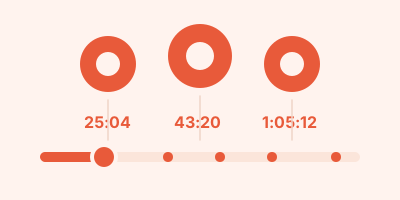
Jump to specific topics with timestamped summaries

See if people like you found the video useful

Access transcriptions you can read, search, and save

Get summaries and translations in 75 languages

Copy or export summaries and send the link in one click

Summarize a whole playlist or a channel's latest videos in one go

Subscribe to channels and get their new videos summarized

Search everything you summarized and ask it questions
Save hours every week on videos
Declutter your Watch list in minutes
Learn faster with concise summaries
Get ahead. Learn more in less time with YouTube AI summaries
Get the most out of any video before you even watch it
Use our summaries for notes and study sheets
Streamline research and idea generation
Enhance lesson prep and student engagement
Extract key information for breaking news
Enjoy more content in less time
Maximize your time. Start using AI YouTube summaries now
For developers
Fetch the captions of any public YouTube video as JSON, plain text or SRT with one HTTP request. Prepaid credits, no subscription, 10 free credits to start.
From $0.030 per video
curl -X POST https://sum.video/api/v1/transcript \
  -H "X-API-Key: sv_live_…" \
  -d '{"url":"https://youtu.be/dQw4w9WgXcQ"}'
Fetch any public YouTube transcript with one HTTP request. Working curl, Python and JavaScript examples, output formats, error codes and costs.

A practical method for turning a YouTube video into short, checkable notes, using a summary with timestamps as the first draft and your own words for the final version.

Missed a three-hour livestream? Once the replay has captions, you can summarize it with timestamps and jump to the parts that matter. Here is when that works and when it does not.

Four ways to get YouTube transcripts in code, compared on price, limits and reliability: sum.video, Supadata, Transcribr and youtube-transcript-api.

Sider is a multi-model AI sidebar that also summarizes YouTube. If YouTube summaries are all you use it for, a dedicated summarizer is simpler and cheaper. Here is how to decide.

NoteGPT is an all-in-one AI notes suite with paid plans from $9.99 a month. If you mainly summarize YouTube videos, a focused tool can be cheaper. Here is how the options compare.

A developer ingests 10,000 YouTube videos into a RAG app. See the cost, the rate limit math, and how auto top-up and budgets keep the spend predictable.

Turn the YouTube videos you learn from into a searchable library of summaries and saved points, with a weekly recap, so you can find an idea again months later.

“Studying? Lecture? Podcast? Get key points instantly.” sum.video turns long class uploads into insights, timestamps, and a searchable transcript for notes.
sum.video is an AI YouTube summarizer. Paste a video URL or use the Chrome extension to get a concise summary and transcript.
Install the Chrome extension and click Summarize on the video page. You can also prefix a YouTube link with sum.video/.
Yes. The website works on phones and tablets. Open sum.video in your mobile browser and paste a YouTube link.
We fetch the video transcript, then AI extracts the main ideas into a structured summary you can read and navigate.
Yes. Any public YouTube video works, including podcasts, news, lectures, and talks hosted on YouTube.
Yes. Summaries are available in 75 languages, including English, Spanish, German, French, Japanese, Korean, and more.
Yes. It works on short clips and multi-hour lectures, podcasts, and talks hosted on YouTube.
Yes. Any public YouTube video works, including ones you uploaded.
Yes. Paste a playlist link, a channel link or an @handle. sum.video summarizes each video and writes one combined summary with the shared points, the differences and which videos are worth watching. You can also compare 2 to 10 videos side by side. Free accounts get one a week with up to 3 videos, and Pro handles up to 50.
Yes. Subscribe to a channel in sum.video and its new videos show up in your Subscriptions page every morning. Free accounts can subscribe to 1 channel. With Pro you can subscribe to 10, and every new video is summarized for you automatically.
Watch smarter, not longer with sum.video YouTube video summarizer